

What Is a Business Intelligence Dashboard
You’re buried in numbers, meetings, and decisions and this why you need to know, what is a business intelligence dashboard and why should you care?
It’s a single screen that turns scattered data into clear actions. Think of it like a friendly map that points to problems, opportunities, and the next steps.
You won’t need to wrestle with spreadsheets or wait for monthly reports; instead you get the facts that matter now.
This blog walks you through all you need to know from practical examples, to simple steps to set up your first view.
Read on, and in a few minutes you’ll spot the one dashboard that makes your day easier and your decisions smarter, and even helps to land a job in tech without experience. Start improving today right away now.
Understanding Business Intelligence (BI) Dashboards
A Business Intelligence (BI) dashboard collects your data and shows it visually so you can act. It pulls different data sources into one place like sales, costs, and customer info.
Dashboards use charts, tables, and scores to make the story obvious at a glance. You can change filters to zoom in on dates, regions, or products.
This saves you time and reduces confusion when many people need the same facts. In practice, dashboards guide daily work and bigger strategy discussions.
Simple Definition of a BI Dashboard
A BI dashboard is an easy screen that shows your most important data in one place. Think of it like a clear map that points to what is working and what is not.
You do not need special skills to understand it because visuals tell the story. The goal is to explain, not confuse, so charts and numbers become simple clues.
An interactive business intelligence dashboard lets you click to see more detail. It acts like a smart summary that updates when data changes.
If you ask ‘what is a business intelligence dashboard’ this simple view answers it fast, especially if you are trying to Switch Career into Tech UK With No Experience.
You can read trends, compare periods, and find exceptions quickly without spreadsheets. It helps you focus on what matters and saves time every day.
Why Organisations Use BI Dashboards
Organisations use dashboards because they make data useful and easy to act on. When teams see the same facts, they talk about the same things and move together.
Dashboards reduce time spent on manual reporting and prevent errors from copying data. They also speed decisions because leaders get near-instant insight into performance.
One major reason is the benefits of BI dashboards: clearer focus and faster reaction. Dashboards support accountability by showing owners, targets, and trends in plain sight.
They also allow different teams to view what matters to them without custom reports.
Overall, dashboards help organisations be more agile, resilient, and customer focused.
They let you spot risks early, measure experiments, and celebrate wins publicly. You will want this clarity, and share results across teams daily.
Key Features of a Business Intelligence Dashboard
If you are starting your career as a data analyst, you must understand that a good dashboards share features that make them useful and reliable for you and your team.
They show clear visuals, let you filter data, and offer scheduled or live updates so you can act. When you ask what is a business intelligence dashboard, know it means a simple visual briefing for decisions.
A strong dashboard lets you set alerts and slice metrics by category to spot issues quickly.
Overall, dashboards reduce guesswork and help teams stay focused on the right work.
Data Visualisation and Real-Time Reporting
Data visualization turns rows of numbers into pictures you can read fast and clearly. Charts, heat maps, and trend lines reveal patterns that hide in spreadsheets and show context.
Real-time reporting feeds live data so the visuals match what is happening right now. If you wonder what is a business intelligence dashboard, one key part is this live view.
That matters when stock levels change, web traffic spikes, or sales fall suddenly and need action. Real-time BI dashboards help teams act in the moment and avoid delayed reactions.
In 2024 the global real-time analytics market was valued around $890 million, which shows demand for live insights.
Confirm how often the dashboard refreshes, seconds, minutes, or hourly, and always test accuracy.
Also check data sources, latency, and transformations so the numbers you see truly reflect business reality and timing.
Customisable Metrics and KPIs
Customisable metrics let you focus the dashboard on what matters for your role and goals. You choose KPIs that reflect real progress, such as revenue per customer, churn rate, or delivery time.
Good dashboards let you set targets, color-code performance, and show trends against goals. Learning how to use a BI dashboard vs reports means picking the right metrics and understanding context.
Start small with three to five KPIs and grow as you learn which numbers move the needle for you. Apply BI dashboard design best practices: group related metrics, use simple scales, and avoid clutter.
Remember, metrics should drive action. If a number does not lead to a next step, rethink its place. Note: use consistent definitions and labels so everyone reads metrics consistently.
Interactive Charts and Drill-Down Capabilities
Interactive charts let you move from summary to detail in seconds by clicking elements. Drill-down features break a chart into smaller parts like region, product, or customer group.
This helps you find causes fast instead of guessing from a top-level number. An interactive business intelligence dashboard invites users to explore and ask new questions.
When you click a segment, filters update across the page so the whole view stays consistent. This reduces the need for separate reports and speeds up learning about your business.
Training users on simple clicks and filters unlocks the power of exploration for everyone.
Business intelligence dashboard examples include clicking a sales peak to reveal marketing campaigns or drilling into support tickets to see common issues and response times. These steps help you fix issues.
See Also:
- Business Intelligence Analyst Bootcamp – All You Need To Know
- Volunteer Experience to Add to Your CV
Types of Business Intelligence Dashboards
Dashboards vary by purpose and audience but fall into three main types you will meet often.
- Strategic dashboards support long-term goals and high-level metrics for leaders.
- Analytical dashboards are rich and let analysts dig into data to test ideas.
- Operational dashboards focus on daily operations and quick responses from teams.
Knowing the types of BI dashboards helps you choose the right tool and the right metrics for your job.
One of the best Career Advice For Job Seekers in The UK, is to pick the type that matches your role and decision timing, whether slow or immediate.
Strategic Dashboards for Executives
Strategic dashboards give executives a high-level view of company health and progress toward goals. They show how data is analysed, metrics like revenue growth, profit margins, market share, and customer satisfaction.
Visuals are simple and bold so leaders can scan quickly during meetings or while on the move. These dashboards often include trend lines and forecasts to guide long-term choices.
Because executives do not need every detail, the focus is on outcomes and exceptions. A good strategic dashboard helps you answer big questions: are we winning and where to invest?
It supports board updates and strategic reviews, saving time and keeping discussions focused. Include only the top metrics that require decisions, and link each metric to action owners so someone follows up.
Analytical Dashboards for Data Exploration
Analytical dashboards are built for people who want to dig into data and test ideas. They include many filters, multiple chart types, and flexible layouts for deep dives.
Analysts use them to compare segments, test hypotheses, and spot hidden patterns. These dashboards may connect to large datasets and offer advanced calculations and joins.
You can export data, run ad-hoc queries, and build temporary views for research. Because they are powerful, they often require some training and data literacy to use well. If your work needs exploration and discovery, an analytical dashboard is a strong fit.
It turns data into experiments so you can find causes, not just report symptoms.
Start with a hypothesis, then use filters to prove or disprove it. Save useful views as templates so teammates can repeat your steps and learn from the results often.
Operational Dashboards for Daily Monitoring
Operational dashboards track day-to-day activities and keep teams on top of current work. They show live counts like open orders, support tickets, and inventory levels.
Teams use them to spot exceptions and fix issues before they become big problems. Because speed matters, visuals are compact and updated frequently for immediate action.
Operational dashboards reduce firefighting by highlighting exact items needing attention. They often include lists of items to act on and links to the systems where work happens.
For frontline staff, a clear operational dashboard is like a daily checklist powered by data. When designed well, they improve reliability and customer experience by preventing small issues from growing.
You can pair operational dashboards with alerts and ownership so that someone gets notified and resolves the issue.
This removes delays and keeps operations smooth across shifts and teams and measure response time.
See Also:
Benefits of Using BI Dashboards
Dashboards help you see results faster, act with confidence, and align teams around shared goals. They cut the manual work of reports and reduce errors that come from copying data.
Because dashboards are visual, they make complex problems easier to understand and solve. Most importantly, they help teams move from opinion to fact-based decisions in daily work.
They also make performance visible, so you can celebrate wins and correct course quickly when numbers shift unexpectedly and keep focus on priorities.
Faster and Smarter Decision-Making
Dashboards speed decision-making because they surface the right facts in seconds.
You no longer wait for end-of-week reports or long email threads to act. Instead, dashboards show trends, anomalies, and comparisons that point to decisions.
When teams use the same dashboard, decisions are consistent and repeatable across the business. Many companies are investing heavily in analytics and AI to make insights faster and automated.
In fact, analysts estimated that global spending on AI reached about $235 billion in 2024, which fuels smarter tools and dashboards.
This investment means more automated recommendations and faster answers for you and your team.
Use dashboard alerts for exceptions so you only act when numbers cross important thresholds. This keeps your focus on high-impact decisions and measure outcomes.
Improved Data Accuracy and Accessibility
Dashboards improve accuracy by linking to central data sources, reducing manual copying and errors. When data is updated at the source, dashboards show the latest numbers across teams.
Accessibility means people can view the same facts from anywhere, on phones or laptops. This reduces version confusion and speeds collaboration across locations and shifts.
Reports show many employees now have access to BI tools at work, increasing data fairness.
That broad access helps spread data literacy and makes insights part of everyday work routines.
As access grows, so does the need for clear training and governance to keep data trustworthy.
Aligning Teams With Clear Insights
Shared dashboards make teamwork clearer because everyone sees the same goals and progress. When teams measure the same KPIs, meetings focus on solving problems not arguing numbers.
Dashboards allow leaders to assign owners and track follow-up, reducing dropped tasks. They also help you spot when teams need help by showing performance gaps in real time.
Use annotations and notes on dashboards to explain sudden changes or one-off events. This context prevents misinterpretation and speeds shared learning across teams.
As a result, dashboards improve alignment, help coordinate action, and build trust in data.
If you want teams to cooperate better, dashboards are a practical and proven starting point.
See Also:
Popular BI Dashboard Tools for Beginners
Beginners should pick tools that balance ease and capability so you can learn quickly and advance your career in data analysis.
Look for strong tutorials, a helpful community, and simple sharing features for teams. Many tools offer templates that get you started without building from scratch.
Some choices are free, while others offer paid tiers that scale as your needs grow and your skills improve.
Choosing the right tool saves time and helps you grow into more advanced analytics when ready. Start with one dataset and expand your dashboards as you gain confidence.
Microsoft Power BI
Source: Power BI
Microsoft Power BI is a popular and approachable tool for beginners and teams alike. It connects easily to Excel, databases, and many cloud services so your data gets in fast.
Power BI offers drag-and-drop visuals, templates, and quick sharing through the Microsoft ecosystem. You can publish interactive reports and control who sees what with simple permissions and apps.
A business intelligence dashboard in Power BI can be built quickly and shared across your company. If you ask what is a business intelligence dashboard in practice, Power BI makes it easy to show the answer.
Power BI has both free and paid tiers, so teams can start without big costs. Industry analysts note the BI software market was worth about $36.4 billion in 2024, showing strong demand for BI tools.
Tableau
Source: Tableau
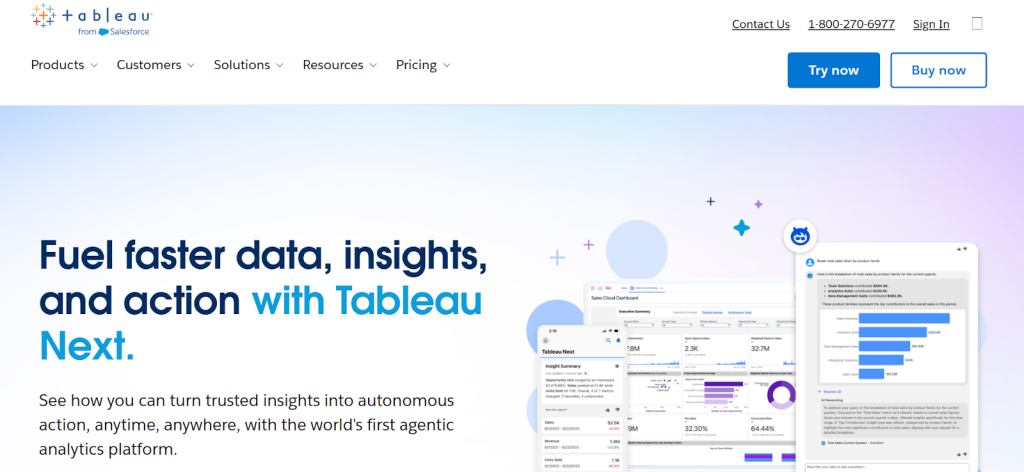
Tableau is known for making striking visuals and flexible dashboards for analysis and storytelling. It helps you build polished charts fast and share interactive workbooks with stakeholders.
Tableau can connect to large datasets and supports complex calculations for deep insights. Because of its design focus, it appeals to analysts and teams who value presentation quality.
Beginners can start with templates but may need some practice to unlock advanced features. If your job needs elegant visuals and exploration, Tableau is a strong candidate to consider.
Many organisations use Tableau alongside other BI dashboard tools for different needs and skill sets. Try a free trial to see if the balance of power and ease matches your team.
Tableau also fosters community learning with many tutorials, forums, and sample dashboards you can copy. That community support speeds learning and encourages best practice daily.
Google Data Studio & Other Alternatives
Source: Google
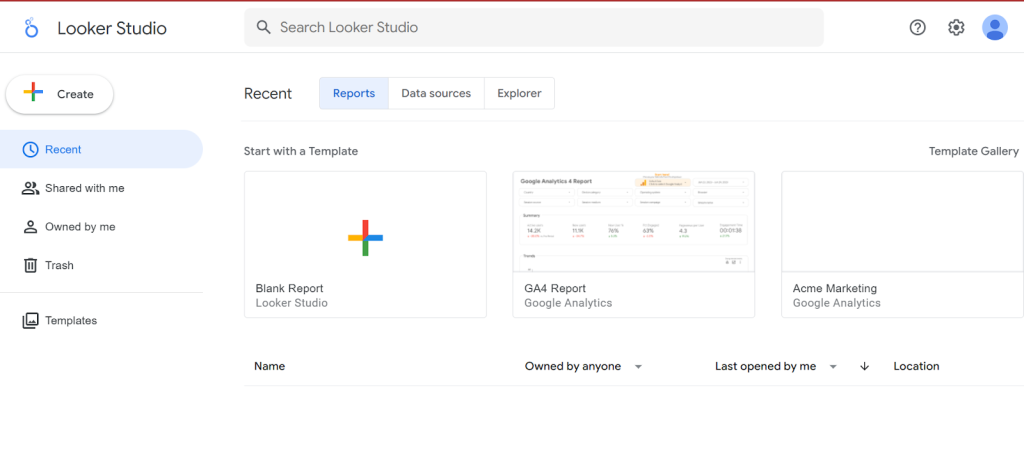
Google Data Studio, now Looker Studio, is a free and friendly tool for beginners and marketers. It links easily to Google Sheets, Ads, and Analytics so you can build simple dashboards quickly and for no cost.
Because it is free, many small teams use it to put data into people’s hands without heavy setup. If your needs grow, platforms such as Qlik, Sisense, and Domo offer stronger governance and scaling features.
Select a tool that fits your data sources, team skills, and budget so you can start simply and expand later.
Free tools are great to learn dashboard basics, while enterprise tools help with security and embedding dashboards widely.
While others are comparing, Tableau or Power BI: Which is Better for Career Growth?, before committing, try a short pilot to confirm the tool meets your speed and sharing needs.
That way you learn fast and avoid costly platform switches later.
See Also:
Conclusion
By now, you’ve seen how a business intelligence dashboard can transform raw data into clear, actionable insights.
But here’s the truth, knowing what a BI dashboard is isn’t enough. To truly use it with confidence, you need the right skills, guidance, and hands-on practice.
That’s where the RKYCareers Data Analysis & Business Intelligence Bootcamp comes in.
This program is designed to take you from “curious beginner” to “confident analyst.” You’ll learn how to design BI dashboards, use top tools like Power BI and Tableau, and turn data into real business results.
Whether you’re looking to boost your career, switch paths, or add in-demand skills, this bootcamp gives you the edge employers are actively searching for.
Don’t just read about dashboards, build them, master them, and use them to open doors.
Enroll today with RKYCareers and take the first step toward becoming a data-driven professional.
FAQs
Can small businesses benefit from BI dashboards?
Yes! small businesses benefit from clarity, speed, and decisions.
What is the difference between a BI dashboard and a report?
A dashboard is interactive visual summary; reports are static details.
How do I create a business intelligence dashboard for the first time?
Connect your data, choose KPIs, use templates, publish the dashboard.
Which is the easiest BI dashboard tool for beginners?
Power BI is the easiest BI dashboard tool for beginners.


